Reviewed and last updated on July 15, 2026 by Awais Ahmed, Founder & Editor-in-Chief, Urban Scope News.
A smart TV box is a small device that plugs into your TV’s HDMI port to add internet streaming apps like Netflix and iPlayer. It essentially turns any regular television into a smart one without needing to buy a new screen.
If your TV still shows a no apps here menu from a decade ago, you’ve probably seen the term smart TV box thrown around as the fix. But what actually is one, and do you need it if you already own a smart TV? Here’s a straightforward breakdown, plus a look at the main options available right now.
What Is a Smart TV Box?
A smart TV box (also called a streaming stick, streaming device, or media player) is a small piece of hardware that plugs into your television’s HDMI port and gives it internet-connected smart features (think Netflix, BBC iPlayer, Disney+, and YouTube) without needing to buy a new television.
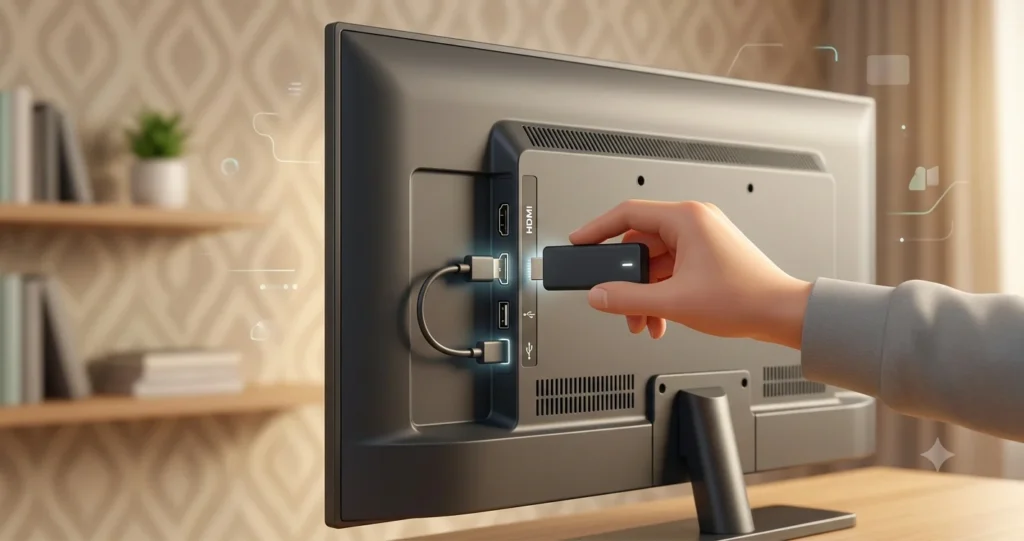
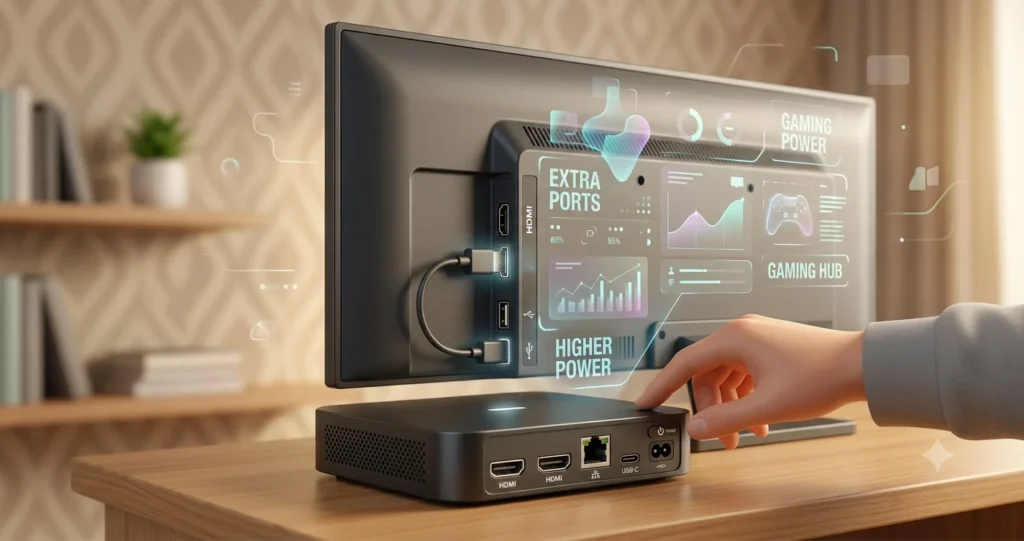
Most come in one of two shapes:
- Sticks: small dongles (roughly the size of a USB drive) that sit tucked behind the TV, powered either by the TV’s USB port or a plug socket.
- Boxes: slightly larger set-top units, usually with more processing power and extra ports.
Either way, the job is the same: connect to your WiFi, run a simple app-based interface, and stream content directly to your screen.
Smart TV Box vs. Smart TV: What’s the Difference?
A smart TV already has this functionality built in at the factory. A smart TV box adds it after the fact, to any television with a spare HDMI port, including much older sets that predate streaming apps entirely.
There are two common reasons people buy one even when their TV is already smart:
- Their smart TV’s software has aged badly. Many TV manufacturers stop updating the built-in operating system within a few years, so apps become slow, crash, or disappear altogether. A £40 streaming stick often runs faster than the smart features baked into a five-year-old television.
- They want a different interface or ecosystem. Someone with an iPhone and a Mac might prefer Apple TV’s AirPlay integration over their TV’s native software; someone using Alexa around the house might prefer Fire TV for the same reason.
If your existing smart TV interface is fast and stable and has every app you use, you likely don’t need to buy anything. If it’s sluggish or missing services, a box is the cheaper fix versus replacing the whole television.
The Main Options in 2026
There are four major streaming platforms available: Amazon Fire TV, Roku, Google TV, and Apple TV. Each ties into a different ecosystem, and pricing varies more by tier than by brand.
| Device | Typical UK Price | Best For |
|---|---|---|
| Roku Streaming Stick Plus | £39.99 | Best all-round value; simple, fast, no single-service bias |
| Amazon Fire TV Stick HD | £39.99 | Budget buyers already using Alexa or Amazon Prime |
| Roku Streaming Stick 4K | £49.99 | Slightly higher spec than the Plus, adds Dolby Vision |
| Amazon Fire TV Stick 4K Max | £60–£80 | Amazon Prime households wanting extra performance |
| Google TV Streamer (4K) | £99 | Android/Google ecosystem households |
| Apple TV 4K | £140–£170 | Apple ecosystem households wanting an ad-free, polished interface |
Prices vary by retailer and change with promotions. Treat these as a general guide rather than a fixed price list.
A few practical notes worth knowing before choosing:
- Roku is the closest thing to a neutral option: it doesn’t push one streaming service over another and has a reputation for a clean, fast interface that suits households with mixed viewing habits, including less tech-confident family members.
- Fire TV integrates tightly with Amazon Prime and Alexa voice control, and tends to be the cheapest way into 4K streaming, though the home screen carries more on-screen promotion than Roku’s.
- Google TV suits households already using Android phones or other Google smart home devices, with built-in Chromecast casting from a phone or laptop.
- Apple TV remains the premium choice (no ads on the home screen, tight AirPlay integration with iPhone and Mac, and strong picture quality) but at roughly triple the price of the cheapest sticks.
All four support the main UK catch-up services (BBC iPlayer, ITVX, Channel 4, My5), so nobody is locked out of home-grown TV by picking one platform over another.
Do You Actually Need One?
Worth asking before spending anything: does your current setup already do the job? Most TVs sold since around 2020 come with usable smart features out of the box. If yours already runs Netflix and iPlayer without complaint, a streaming box won’t add much.
Where it does make sense:
- Your TV is older and was never smart to begin with
- Your smart TV’s apps are slow, outdated, or have stopped receiving updates
- You want a specific ecosystem’s interface (Apple, Google, Amazon) rather than your TV manufacturer’s own software
- You want 4K or Dolby Vision support your TV’s built-in apps don’t offer
The Bottom Line
A smart TV box is a low-cost, low-effort way to modernise an existing television, whether it never had smart features, or its built-in software has simply fallen behind. For most people, a £40 Roku or Fire TV stick will cover the basics; the more expensive Google TV and Apple TV options are worth the extra spend mainly if you’re already tied into those ecosystems elsewhere in your home.